

Quick Answer
Place your living room TV directly across from the main seating position, with the center of the screen close to your seated eye level. Choose a viewing distance that suits the screen size, avoid strong window reflections, and leave a safe walking route around the furniture. Before mounting, confirm that the wall, bracket, and television are compatible.
A centered TV can still be awkward to watch if it sits too high, catches afternoon sunlight, or forces everyone to twist. Plan around everyday viewing rather than the biggest empty wall.
Where Is the Best Place for a TV in a Living Room?
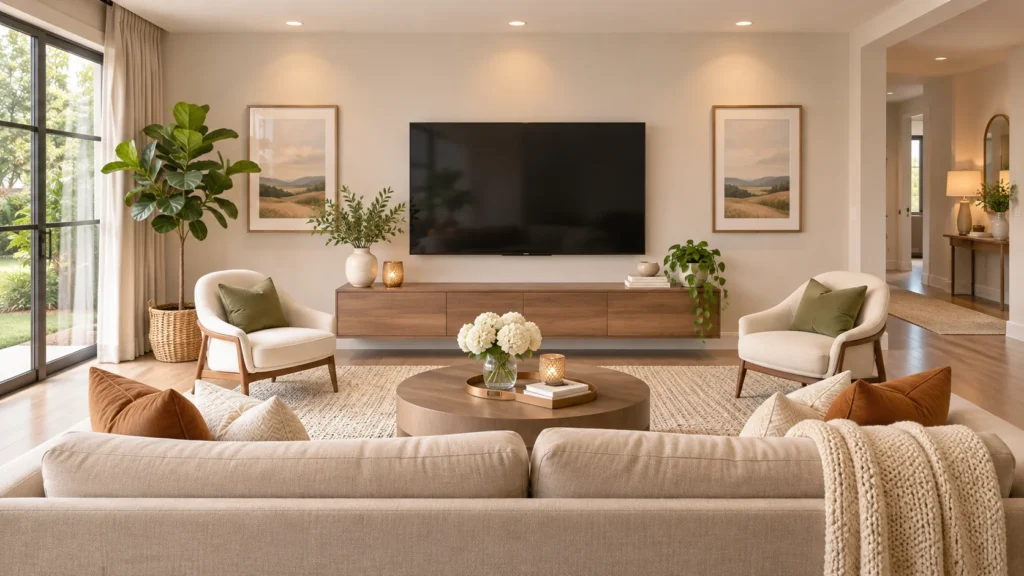
The best position is usually a solid wall facing the primary sofa, away from direct sunlight and clear of major walkways. The screen should be easy to see from the seat used most often. Secondary chairs can sit at an angle; every piece of furniture does not need a perfectly centered view.
Compare possible walls using four checks:
- Sightline: Can someone in the main seat look straight ahead without repeatedly twisting their neck?
- Light: Does a window, floor lamp, or ceiling fixture reflect across the screen?
- Circulation: Can people move from door to door without crossing directly between the sofa and TV?
- Practical access: Is there a suitable power outlet, room for devices, and an appropriate structure for mounting if needed?
How High Should a Living Room TV Be?
Start with the center of the screen at seated eye level, not standing eye level. Sit normally on your sofa and measure from the floor to your eyes. That measurement is a useful starting point for the screen center; adjust slightly if your viewing posture or furniture requires it.
Many sofas put seated eye height somewhere around 36–43 inches (91–109 cm), but your actual measurement matters more than a universal mounting number. Manufacturer guidance from Philips on TV placement also recommends using seated eye level to guide screen height.
How Do You Calculate the Bottom Edge of the TV?
Measure the television’s actual visible height, then subtract half that height from your seated eye-height measurement. This gives a starting point for the bottom edge of the screen. Remember that the bracket’s mounting holes are not necessarily at the screen center.
Example: Your seated eye level is 41 inches above the floor and the TV is 32 inches tall. Half the screen height is 16 inches, so the bottom of the screen would start around 25 inches above the floor. Confirm clearance above your console and any soundbar before choosing the final height.
How Far Should the Sofa Be From the TV?
Viewing distance depends on screen size, how immersive you want the picture to feel, and the content you watch. A relaxed mixed-use setup can sit farther back than a cinema-style arrangement. These are preferences rather than hard limits.
The table below uses approximately 30-degree (relaxed) and 40-degree (more immersive) viewing-angle distances from RTINGS’ TV size and viewing-distance guide.
| TV diagonal | Cinema-style seat (40°) | Relaxed seat (30°) |
|---|---|---|
| 43 inches | 4 ft 4 in | 5 ft 10 in |
| 55 inches | 5 ft 6 in | 7 ft 5 in |
| 65 inches | 6 ft 6 in | 8 ft 10 in |
| 75 inches | 7 ft 6 in | 10 ft 2 in |
| 85 inches | 8 ft 6 in | 11 ft 6 in |
Measure from your usual eye position to the screen, not from the back of the sofa to the wall. For example, a 65-inch television could be comfortable around 6½–9 feet away depending on what you prefer. Try the arrangement before permanently fixing furniture in place.
How Do You Prevent Glare From Windows and Lights?
Try a wall perpendicular to the strongest window first. A screen directly opposite bright glass may reflect the room, while a screen immediately in front of a bright window can be difficult to view against the backlight.
- Use curtains or adjustable blinds to soften direct daylight.
- Move exposed lamps outside the screen’s reflection path.
- Use dimmable ambient lighting when watching in the evening.
- Consider a swiveling mount when modest angle changes would solve reflections from different seats.
What Changes in Small, Narrow, or Open-Plan Rooms?
Small or Narrow Living Room
Use the clearest short wall or face the sofa and TV across two suitable long walls. A slim console can reduce floor obstruction, although wall mounting only saves useful space when it is structurally appropriate. Avoid squeezing a chair into the only passage just to create a symmetrical arrangement.
Open-Plan Living Room
Float the sofa to define the viewing zone and put the TV on a stable wall facing it. Route movement between the kitchen, dining area, and doors behind or beside the seats. A rug can mark the lounge area without adding a physical divider.
Living Room With Several Seating Positions
Give the main sofa the straightest view and arrange armchairs at manageable side angles. A full-motion mount may help on movie nights, but its extended position needs additional clearance. For furniture-specific alternatives, see our living room layouts with a TV rather than forcing every room into the same configuration.
Should You Put a TV Above a Fireplace?
Usually, a lower nearby wall is a better first choice. Above-fireplace placement can put the screen well above seated eye height, and heat or soot can threaten the television. Even an attractive mantel arrangement is not worth an uncomfortable or unsafe installation.
If the fireplace is the only practical location, check both manufacturers’ instructions, required clearances, measured temperatures, and the wall’s construction before proceeding. A tilt or pull-down bracket may improve the viewing angle, but it does not override heat limits or mounting requirements.
A TV on an adjacent wall can let the room have two focal points. For ideas about arranging the seating around the hearth, see our living room fireplace layout guide.
Is a Wall Mount or TV Stand Better?
Choose a wall mount when the wall can support the specified bracket, you want to free console space, and the seating arrangement is likely to stay put. Choose a TV stand when you need storage or prefer a setup that is easier to reposition. Neither option is automatically safer without correct installation.
For a mount, confirm screen size range, combined weight limit, VESA hole pattern, wall material, and fastener requirements. A television that falls within the bracket’s advertised size range can still be incompatible in another respect. Never assume ordinary drywall anchors can support a heavy TV; use the exact mounting method permitted by the specific product manual.
For a stand, use furniture designed to support the television and keep its base fully on the top surface. The U.S. Consumer Product Safety Commission’s Anchor It! guidance recommends securing TVs and suitable furniture to reduce tip-over risks, especially where children may be present.
Mounting Safety
Do not drill until you know what is inside the wall and have confirmed the mount’s approved wall type and installation method. If the structure or hidden wiring is uncertain, use a qualified installer. Follow the television and mount manuals rather than generic online drilling measurements.
What About Cables, Soundbars, and Ventilation?
Plan power and accessories before settling on the TV’s exact height. A soundbar may need room below the screen, and gaming systems or streaming equipment need access to power, connections, and airflow. Allow the clearances stated in your television and device manuals.
Use surface raceways or a suitable professionally installed in-wall wiring solution to keep cables tidy. Do not put an ordinary detachable power cord inside a wall cavity unless the specific system and applicable electrical rules permit it. Keep cords out of children’s reach and away from hot fireplace surfaces.
How Do You Choose the Final TV Position Step by Step?
- Mark fixed features: Measure the room, doors, windows, fireplace, outlets, and available wall sections.
- Choose the main seat: Decide where people sit for everyday viewing, then identify the wall directly ahead.
- Measure eye level: Sit naturally, mark your eye height, and estimate the screen’s top and bottom edges.
- Set viewing distance: Compare your eye-to-screen measurement with the viewing-angle table, then move the sofa if practical.
- Run a glare test: Check sunlight and lamp reflections during actual viewing hours.
- Outline the screen: Use painter’s tape and cardboard to visualize its real width, height, and any soundbar.
- Check mounting and circulation: Confirm approved wall structure, device clearances, and unobstructed door and walking routes.
When furniture positions are uncertain, start with the measurements and circulation zones in our living room space planning guide. It helps you avoid solving a TV problem by creating a new traffic problem.
Which TV Placement Mistakes Are Easiest to Avoid?
The most common errors are committing to an attractive-looking wall before testing the seated view and assuming one measurement fits every household.
- Mounting too high: Measure from a seated position, not while standing against the wall.
- Ignoring the window: Check actual daytime reflections instead of judging an empty wall at night.
- Blocking circulation: Keep the main passage beside the viewing group where possible.
- Buying the mount first: Verify VESA, weight, wall construction, and clearance before ordering a bracket.
- Forgetting accessories: Reserve space for a soundbar, cabinet doors, ventilation, and reachable connections.
- Prioritizing symmetry over comfort: Aim the TV at the primary viewer even if the room’s architecture is uneven.
These two mounts illustrate different solutions for angled seating; verify compatibility before ordering.
↔️ Flexible Viewing Angles
ECHOGEAR EGLF2 Full-Motion Mount
Customer rating: 4.5/5 at Best Buy (4 reviews at time checked)
Manufacturer lists support for 42–90-inch TVs up to 125 lb, with 22 inches of extension and up to 130° total swivel. Worth comparing when an off-center seat needs flexibility; confirm VESA and wall compatibility.
↗️ Longer Extension Option
SANUS VLF728 Full-Motion Mount
Customer rating: 2.9/5 on SANUS (10 reviews at time checked)
Manufacturer lists support for 42–90-inch TVs, up to 28 inches of extension, and 57° swivel in either direction. The longer reach may help with recessed walls, but its published customer rating warrants review.
Affiliate disclosure: As an Amazon Associate, we earn from qualifying purchases. Ratings, listings, and specifications can change.
Frequently Asked Questions
Does a TV Have to Be Centered on the Wall?
No. Center it with the primary viewing position when that produces the best sightline. Wall symmetry matters less than comfortable viewing and keeping doors and walkways clear.
Is It Better to Put a TV in a Corner?
A corner can work when doors or windows break up the usable walls. Angle the screen toward the main seat and verify that the stand or mount is stable, compatible, and clear of walking routes.
Can a TV Be Placed Opposite a Window?
Yes, but bright reflections may make viewing difficult. Test the screen at the sunniest viewing time and consider adjustable blinds or a different wall if glare remains distracting.
How High Should a TV Be Above a Media Console?
There is no universal gap. First position the screen center near seated eye height, then confirm enough clearance for the console, soundbar, ventilation, and access to connections.
Should a Sectional Face the TV Directly?
Ideally, the main seats should face the screen reasonably directly. Put the TV opposite the sectional’s primary viewing section, then use the chaise and secondary seats without blocking circulation.
Can You Move a Wall-Mounted TV After Installation?
Some mounts allow tilt, swivel, or lateral adjustment, but movement depends on the exact model. A major relocation may require new approved fixing points and professional help; do not reuse damaged mounting holes or hardware.
Final Takeaway
For most living rooms, begin with the main sofa, place the screen at seated eye height, and verify a comfortable viewing distance. Then test glare, circulation, and mounting safety. A few pieces of painter’s tape and careful measurements can prevent a permanently awkward TV location.