

Quick Answer
A functional living room entertainment setup combines a correctly positioned TV, comfortable seating, well-placed speakers, balanced lighting, organized cables, and practical media storage. Start by measuring the room and planning viewing angles and walking paths before choosing furniture or equipment. The best arrangement creates an enjoyable viewing experience without making the living room feel like a dedicated cinema.
A living room often serves several purposes at once. It is where people watch movies, stream television, play games, listen to music, and spend time together. An entertainment area needs to support these activities while still feeling like a comfortable part of the home.
The secret is to plan the room as a complete system. A large television cannot compensate for uncomfortable seating, distracting screen reflections, poorly positioned speakers, or cables running across the floor. Each element should work with the others.
What Makes a Good Living Room Entertainment Setup?
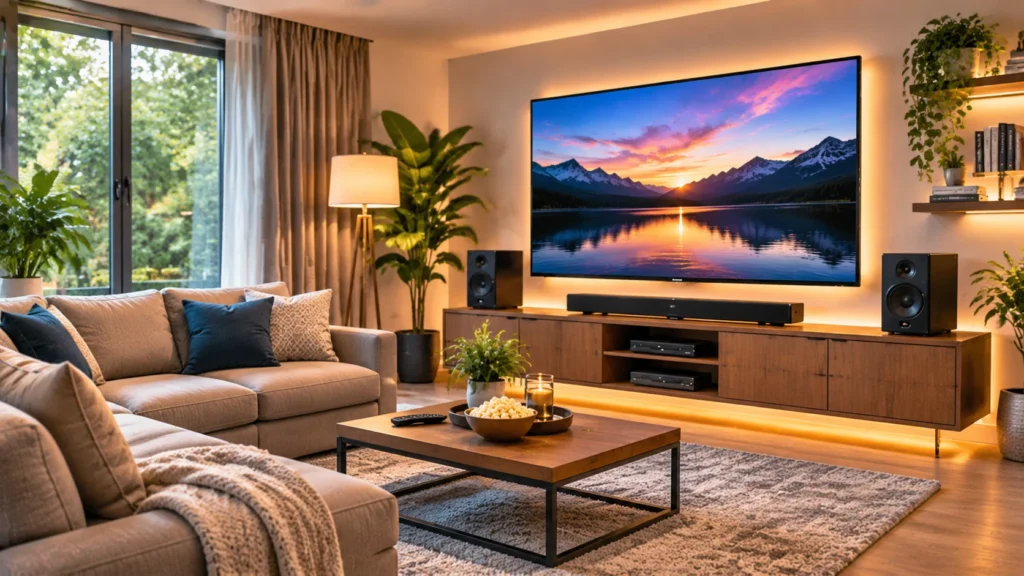
A good entertainment setup balances viewing comfort, sound quality, furniture arrangement, lighting, and everyday practicality. It should give the main seating area a clear view of the screen while preserving enough space for conversation and movement.
Think about five connected elements:
- Display: A television or projector positioned at a comfortable height and distance.
- Seating: A sofa or chairs arranged around the main viewing position.
- Audio: Television speakers, a soundbar, or a surround sound system suited to the room.
- Lighting: Adjustable ambient and task lighting that does not create distracting screen reflections.
- Organization: A media console, equipment storage, accessible connections, and concealed cables.
These elements should be planned together rather than purchased or arranged independently. For example, choosing a soundbar after mounting the television may reveal that there is insufficient space beneath the screen.
How Should You Plan the Entertainment Area?
Start with the room’s dimensions and daily activities. Measure the available walls, windows, doorways, electrical outlets, and existing furniture. Then identify the area that can accommodate the television and primary seating without interrupting normal movement.
Choose the Main Focal Wall
The television usually works best on a stable wall facing the main sofa. Look for a position that avoids strong sunlight, provides convenient access to power, and leaves sufficient room for a media console or wall-mounted equipment.
A fireplace, large window, or architectural feature may compete with the television for attention. If the room has several focal points, decide which one should dominate the seating arrangement. Avoid forcing the TV into an unsuitable position simply because a particular wall looks attractive.
Plan Walking Routes Before Moving Furniture
People should be able to enter the room, reach other areas, and move around the seating without repeatedly crossing in front of the television. Keep frequently used routes beside the main seating area whenever possible.
In an open-plan living room, a sofa can help define the entertainment zone. A rug or low media console can reinforce that boundary without blocking the connection to the dining area or kitchen.
For more detailed measurements and furniture arrangements, use this living room space planning guide.
Where Should the TV and Seating Be Positioned?
Position the television directly in front of the primary viewing seats whenever the room allows. The screen should be easy to see without viewers having to turn their heads or sit at uncomfortable angles.
TV height and viewing distance matter just as much as screen size. A television mounted too high can make extended viewing uncomfortable, while an unsuitable distance can make the picture feel either overwhelming or too small.
Set a Comfortable TV Viewing Distance
Viewing distance depends on screen size, resolution, personal preference, and the type of content being watched. A closer position creates a more immersive experience, while a farther position may feel more relaxed for general television viewing.
Dolby’s home theater planning guide provides the following approximate viewing distances for common screen sizes:
| TV Size | Approximate Distance |
|---|---|
| 42 inches | 63 inches (1.6 m) |
| 55 inches | 82.5 inches (2.1 m) |
| 65 inches | 97.5 inches (2.5 m) |
| 75 inches | 112.5 inches (2.9 m) |
| 85 inches | 127.5 inches (3.2 m) |
These are planning references, not universal rules. Adjust the distance according to your viewing preference and the television manufacturer’s recommendations.
Choose a Comfortable Screen Height
Start by sitting naturally on the sofa and measuring your seated eye level. The center of the television should be approximately aligned with that position. Adjust for the screen’s dimensions and the clearance needed by a soundbar or media console.
Wall mounting can create a clean appearance, but a sturdy television stand is equally practical. The important consideration is comfortable viewing and secure installation.
For additional measurements, mounting considerations, and glare prevention, see our living room TV placement guide.
What Audio Setup Works Best in a Living Room?
The right audio arrangement depends on room size, furniture placement, listening habits, and how much equipment you want to accommodate. A simple soundbar can improve television dialogue without taking up much space, while separate speakers provide more flexibility for a dedicated home theater experience.
Understand the Main Audio Options
- Built-in TV speakers: A simple solution for casual viewing when additional equipment is unnecessary.
- Soundbar: A compact option that generally sits below the television and can improve dialogue clarity and overall sound.
- 2.1-channel system: Two main speakers and a subwoofer, providing stereo sound with additional bass.
- 5.1-channel system: Front left, center, and right speakers, two surround speakers, and one subwoofer.
- Dolby Atmos system: Adds height-channel audio to create a more three-dimensional listening experience.
Do not assume that a larger speaker system automatically produces better results. The room must have enough space for suitable speaker positions and a comfortable listening area.
Position Speakers Around the Main Seating Area
For a basic stereo arrangement, position the left and right speakers on either side of the television and angle them toward the main listening position. Try to keep them at similar distances from the primary seat.
A center speaker should sit close to the television so dialogue appears to come from the screen. Surround speakers belong beside or behind the listening area, according to the selected system’s placement instructions.
Subwoofer placement is more flexible. Try different positions and listen from the main sofa because room boundaries and furniture can change how bass sounds.
The Dolby speaker placement guide provides diagrams and guidance for arranging different speaker configurations.
How Can You Improve Entertainment Room Lighting?
Lighting should support comfortable viewing without making the room completely dark. Strong reflections from windows, exposed bulbs, or bright fixtures can distract viewers and make the screen difficult to see.
Use a combination of lighting layers:
- Ambient lighting: Provides general illumination through ceiling fixtures, indirect lighting, or floor lamps.
- Task lighting: Supports reading and other activities around the seating area.
- Accent lighting: Highlights shelves, artwork, architectural details, or the media wall.
- Adjustable lighting: Dimmers and separately controlled fixtures make it easier to change the atmosphere between activities.
Position the television away from direct window reflections where possible. Curtains or blinds can help control daylight, while indirect lamps can provide a comfortable evening atmosphere.
For a more complete lighting plan, explore our living room lighting guide.
How Do You Organize Cables and Entertainment Equipment?
Cable management is one of the most overlooked parts of an entertainment area. Multiple devices can create a messy collection of power cords, HDMI cables, speaker wires, and charging connections.
A media console with suitable compartments can keep streaming devices, gaming consoles, and other equipment organized. Choose storage that provides enough room for connections, ventilation, and access to controls.
Use cable clips, reusable ties, and cable raceways to group wires along walls or behind furniture. Labeling cables at both ends can also make troubleshooting easier when several devices are connected.
Keep ventilation openings unobstructed. Electronics need adequate airflow, so avoid tightly enclosing equipment in small cabinets unless the manufacturer’s instructions permit it.
For electrical safety, do not place ordinary detachable power cords inside wall cavities. Use an approved in-wall power solution installed according to applicable electrical requirements.
How Can You Create an Entertainment Setup in a Small Living Room?
A small living room can still provide an enjoyable entertainment experience. The key is to reduce unnecessary furniture, use vertical space, and select equipment that fits the room rather than overwhelming it.
- Choose a television size that suits the actual viewing distance.
- Consider a slim media console or appropriately mounted television.
- Use a compact soundbar instead of several separate speakers when space is limited.
- Choose storage with closed compartments to reduce visible clutter.
- Use wall shelves for lightweight accessories and decorative objects.
- Keep the main walkway open instead of filling every corner with furniture.
- Consider a swivel mount if different seating positions need flexible viewing angles.
In narrow rooms, a simple sofa-facing-TV arrangement is often easier to manage than a large sectional. In open-plan spaces, floating the sofa can separate the entertainment area from adjoining activities.
What Are the Most Common Entertainment Setup Mistakes?
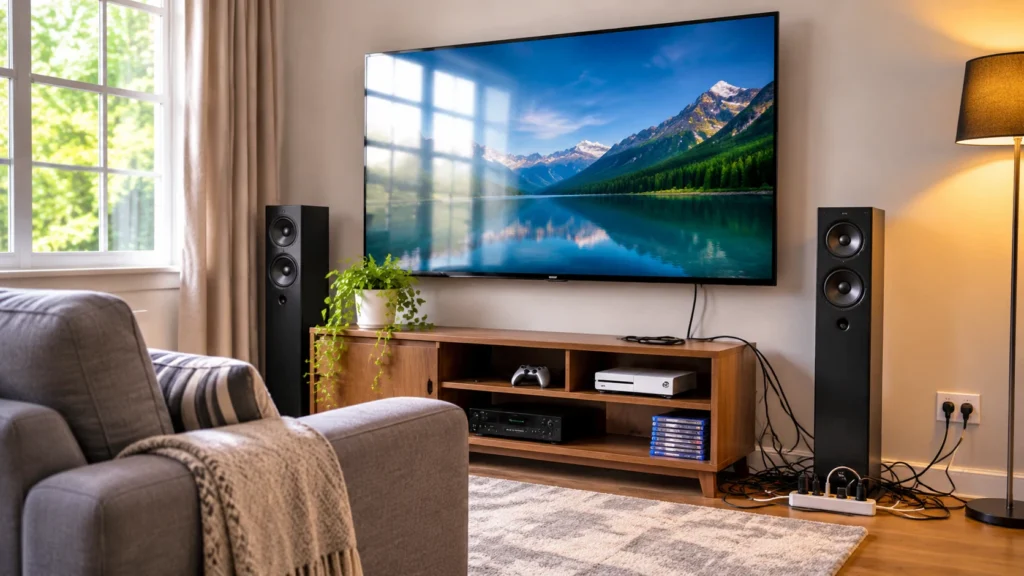
Some arrangement problems are easy to avoid when you consider the entire room before installation.
- Mounting the TV too high: This can create an uncomfortable viewing angle during longer sessions.
- Ignoring natural light: Screen reflections can interfere with daytime viewing.
- Buying equipment before measuring: A console, speaker, or television may not fit the available space.
- Blocking speaker output: Furniture, cabinets, and decorative objects can obstruct sound.
- Overcrowding the room: Too many seats and accessories can make movement difficult.
- Ignoring equipment ventilation: Poor airflow can conflict with device installation requirements.
- Leaving cables exposed: Loose wires create visual clutter and potential trip hazards.
Practical Tip
Before drilling holes or permanently mounting equipment, temporarily position the television, sofa, and media console. Sit in the main viewing seats, check daylight reflections, test the sound, and walk through the room. This simple trial can reveal layout problems before installation.
Frequently Asked Questions
1. What should be included in a living room entertainment setup?
A typical setup includes a television, comfortable seating, suitable audio equipment, a media console, organized cables, and adjustable lighting. Additional devices such as gaming consoles and streaming players depend on household needs.
2. Should the television be mounted or placed on a TV stand?
Both options work. Wall mounting saves console surface space and can create a streamlined appearance, while a TV stand offers storage and makes equipment easier to reposition. Choose based on wall suitability, viewing height, storage needs, and installation requirements.
3. How do I make my entertainment area look modern?
Use a coordinated color palette, simple media furniture, concealed cables, balanced lighting, and limited decorative accessories. Repeating materials such as wood, metal, and neutral fabrics can help connect the entertainment area with the rest of the living room.
4. Is a soundbar enough for a living room home theater?
For many households, yes. A soundbar provides a compact audio upgrade without requiring multiple speakers around the room. A separate surround sound system may be more suitable when immersive movie audio is a priority and the room can accommodate the additional equipment.
5. How can I reduce TV glare during the day?
Position the screen away from direct sunlight and avoid placing bright windows directly in its reflection path. Adjustable curtains, blinds, and carefully positioned lamps can improve viewing conditions without requiring a completely dark room.
6. Can a living room serve as both an entertainment room and a family space?
Yes. Arrange the main seating around the television while keeping additional chairs available for conversation. Use rugs, storage furniture, and lighting to define different activity zones without dividing the room with permanent walls.
Final Thoughts
A successful living room entertainment setup is about more than choosing a television or building an impressive media wall. It requires comfortable seating, sensible viewing distances, suitable audio, balanced lighting, and organized equipment.
Start with the room’s measurements and everyday needs. Build the arrangement around the main viewing position, test the layout before installation, and add equipment only when it improves the experience. The result can be a welcoming entertainment area that works just as well for family time and everyday relaxation as it does for movie nights.