

Quick Answer
To choose the right TV size for a living room, measure the distance between your eyes and the screen in inches and divide it by 1.6. At 8 feet, start with a 55–65-inch TV; at 10 feet, consider 75 inches; and at 12 feet, consider 85–90 inches. Adjust the size based on your viewing habits, available wall space, furniture, and personal comfort.
A television can look perfectly sized in a showroom but feel overwhelming once it arrives in your living room. The opposite can happen when a screen looks large online but feels surprisingly small from your sofa.
The solution is to choose a TV based on your actual seating distance rather than the overall size of your room. A few simple measurements can help you find a screen that delivers comfortable viewing without disrupting your interior design.
What Size TV Is Best for Your Living Room?
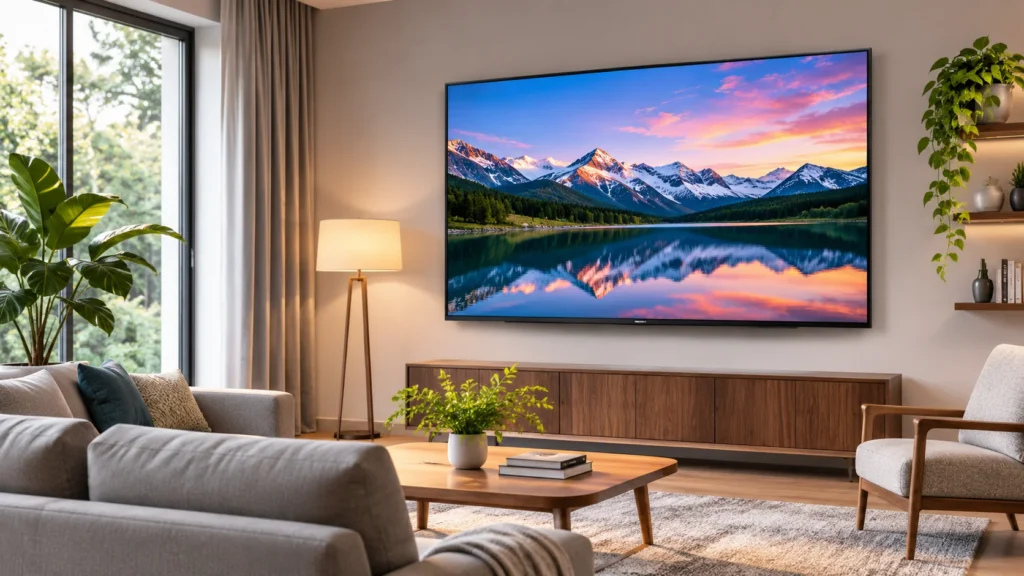
A 55-inch TV is a practical starting point for compact living rooms, a 65-inch TV suits many medium-sized seating arrangements, and a 75-inch or larger TV works well when viewers sit farther away.
However, room size alone cannot determine the ideal screen size. Two living rooms with identical dimensions may need different televisions because their sofas are positioned differently.
Use these three factors to narrow down your options:
- Viewing distance: How far your eyes are from the screen.
- Available space: The width and height of your TV wall or entertainment unit.
- Viewing preference: Whether you prefer relaxed everyday viewing or an immersive cinema experience.
If you are still arranging furniture, establish a functional living room layout before deciding on a permanent television size.
TV Size and Viewing Distance Chart
The following chart provides approximate viewing distances for common widescreen televisions. Everyday viewing targets a horizontal field of view of roughly 30 degrees, while cinematic viewing targets approximately 40 degrees.
| TV Size | Everyday Viewing | Cinema Viewing |
|---|---|---|
| 43 inches | 5.7 ft | 4.3 ft |
| 50 inches | 6.7 ft | 5.0 ft |
| 55 inches | 7.3 ft | 5.5 ft |
| 65 inches | 8.7 ft | 6.5 ft |
| 75 inches | 10.0 ft | 7.5 ft |
| 77 inches | 10.3 ft | 7.7 ft |
| 85 inches | 11.3 ft | 8.5 ft |
| 98 inches | 13.1 ft | 9.8 ft |
These distances are starting points rather than strict limits. The RTINGS television viewing distance guide explains how screen size, resolution, and field of view influence the viewing experience.
How to Choose a TV Size for a Living Room in 6 Steps
You can narrow down the ideal television size before visiting a store by measuring your seating area, calculating a suitable screen size, and checking how it fits into your room.
Step 1: Measure Your Actual Viewing Distance
Sit in your usual position on the sofa and measure the distance from your eyes to the location where the television screen will be.
Do not simply measure from one wall to the opposite wall. The depth of your sofa, the entertainment console, and the television itself can change the actual viewing distance.
If you are planning to wall-mount your TV, measure to the expected screen position rather than the wall behind it.
Step 2: Calculate the Ideal TV Screen Size
For general television viewing, use this simple formula:
TV Size = Viewing Distance in Inches ÷ 1.6
Suppose your sofa is 9 feet from the television:
- 9 feet equals 108 inches.
- 108 divided by 1.6 equals 67.5 inches.
- A 65-inch TV is a suitable starting point.
For a more immersive movie experience, dividing the distance by 1.2 provides a larger screen size. You can then adjust the result according to your preferences and available space.
Step 3: Check the Available Wall Space
Television sizes refer to the diagonal measurement of the display, not its horizontal width.
For example, a 65-inch television has a screen approximately 56.7 inches wide. A 75-inch television is approximately 65.4 inches wide.
Measure the space between windows, shelves, cabinets, and other permanent features. Include additional room for the television frame, cables, speakers, and manufacturer-specified ventilation.
Step 4: Consider Your Viewing Habits
The type of entertainment you watch can influence which television size feels most comfortable.
- News and regular television: A moderately sized screen is often sufficient.
- Movies: A larger screen can make cinematic scenes more engaging.
- Sports: A larger display makes it easier to follow smaller details from farther away.
- Gaming: Choose a size that lets you see interface elements comfortably without excessive head movement.
- Family viewing: Consider picture quality from different seating positions.
Step 5: Match the TV to Your Furniture and Interior Design
Your television should feel proportional to the entertainment console and surrounding furniture.
A wider media console can make the screen appear more visually balanced. However, the structural requirements depend on the TV’s actual stand footprint, weight, and the console’s load capacity.
Decide whether the screen will serve as the main living room focal point or blend into the surrounding decor.
Step 6: Test the Screen Size Before Buying
Use painter’s tape or a large cardboard rectangle to outline the dimensions of your shortlisted television on the wall.
Sit on your sofa and look at the outline from your normal viewing position. Repeat the process for the next larger or smaller size if you are uncertain.
Practical Tip
Test the television outline during the day and evening. Check how it affects the room’s visual balance when you enter, sit down, and view it from secondary seating positions.
How Much Wall Space Does Each TV Size Need?
Knowing the approximate width and height of a television is essential when installing it inside a cabinet or placing it between decorative features.
These measurements represent the display area of standard 16:9 televisions, excluding the frame and stand.
| TV Size | Screen Width | Screen Height |
|---|---|---|
| 43 inches | 37.5 inches | 21.1 inches |
| 50 inches | 43.6 inches | 24.5 inches |
| 55 inches | 47.9 inches | 27.0 inches |
| 65 inches | 56.7 inches | 31.9 inches |
| 75 inches | 65.4 inches | 36.8 inches |
| 85 inches | 74.1 inches | 41.7 inches |
| 98 inches | 85.4 inches | 48.0 inches |
Always confirm the exact external dimensions, stand spacing, and mounting requirements of the particular model before ordering.
Which TV Size Works Best for Small, Medium, and Large Living Rooms?
Small Living Rooms: 43–55 Inches
If your seating distance is approximately 5–7 feet, a 43-inch or 55-inch television is a sensible starting point.
Wall mounting can free up furniture surfaces and reduce visual clutter. A compact room does not automatically require a tiny screen, especially when the furniture arrangement provides sufficient viewing distance.
Medium Living Rooms: 55–75 Inches
For seating distances of approximately 7–10 feet, televisions between 55 and 75 inches provide several practical options.
A 65-inch TV offers a middle ground for everyday viewing. A 75-inch model may be preferable for households that regularly watch movies or sports.
Large Living Rooms: 75–98 Inches
When the main sofa is 10–13 feet from the screen, a 75-inch, 85-inch, or 98-inch television may offer a more engaging experience.
In open-plan spaces, measure from the primary seating area rather than including the entire kitchen or dining area in your calculation.
55 vs. 65 vs. 75-Inch TV: Which Should You Choose?
The main difference between these three sizes is how much of your vision the television occupies when viewed from the same distance.
| TV Size | Ideal Use | Approximate Everyday Distance |
|---|---|---|
| 55 inches | Compact seating areas | 7.3 ft |
| 65 inches | Mixed family entertainment | 8.7 ft |
| 75 inches | Movies and larger seating areas | 10 ft |
Moving from a 55-inch to a 65-inch television increases the screen area by approximately 40%. Moving from 65 to 75 inches increases it by approximately 33%, assuming the same aspect ratio.
That is why a ten-inch diagonal increase can feel more substantial than expected.
At the same budget, also compare picture quality. A smaller television with better contrast, reflection handling, and motion performance may be a better choice than a larger model with weaker performance.
Does TV Resolution Affect the Ideal Screen Size?
Yes. Higher-resolution televisions allow you to sit closer to the display before individual pixels become noticeable, although resolution is not the only factor affecting viewing comfort.
1080p Full HD TVs
Full HD displays contain 1920 by 1080 pixels. On larger screens viewed from close distances, fine details may appear less sharp than on a comparable 4K television.
4K Ultra HD TVs
4K televisions contain 3840 by 2160 pixels, providing four times the pixel count of Full HD.
They are a practical choice for larger screens and relatively close seating positions when suitable high-resolution content is available.
8K TVs
8K displays provide additional pixels, but the visible benefit depends on screen size, viewing distance, eyesight, and content quality.
For many everyday living room setups, selecting an appropriate 4K screen with good overall picture quality is more useful than prioritizing resolution alone.
The Sony television viewing distance guide distinguishes resolution-related viewing distances from other considerations such as personal comfort and room layout.
How High Should You Mount a Living Room TV?
Position the television so that the center of the screen is approximately level with your eyes when seated comfortably.
This provides a useful starting point without requiring you to tilt your head upward throughout a movie or television program.
To determine the mounting position:
- Sit normally on your sofa.
- Measure your seated eye height from the floor.
- Find the center height of the television.
- Adjust the mounting position to account for furniture, viewing angle, and the mounting bracket.
Use a mount rated for the television’s weight and compatible with its mounting-hole pattern. Follow the manufacturer’s instructions for wall construction, fasteners, and installation.
If you plan to place the TV above a fireplace, also check heat exposure and the manufacturer’s operating temperature requirements.
Can a TV Be Too Big for a Living Room?
Yes. A television can be too large if it makes viewing uncomfortable, overwhelms the room visually, or cannot be installed securely within the available space.
Signs that you may benefit from a smaller screen include:
- You struggle to follow action across the entire display comfortably.
- You frequently move your head to read information near the screen edges.
- The television blocks shelves, windows, or other functional features.
- The screen needs to be mounted excessively high to fit.
- Its weight or stand dimensions exceed the entertainment console’s capacity.
- The television dominates a room primarily intended for conversation and relaxation.
Large screens are not inherently unsuitable. The issue is whether the display fits your viewing distance, furniture, and intended use of the room.
Other Factors That Matter When Choosing a TV Size
Natural Light and Screen Reflections
A large television may reflect more of the surrounding room if bright light sources appear in its screen. Check the position of windows and lamps before deciding where it should go.
Reflection handling, screen brightness, curtains, and blinds can influence daytime viewing more than a small increase in screen size.
Multiple Seating Positions
If family members sit at different angles or distances, choose a screen that provides reasonable visibility from the main seating positions.
Screen size alone cannot correct poor off-center picture quality. Compare the viewing-angle performance of shortlisted televisions when your living room has widely spread seating.
Soundbar and Entertainment Accessories
Leave enough space for a soundbar, gaming console, streaming device, and cable connections. A soundbar should not obstruct the bottom of the visible screen or the television’s remote-control sensor.
Budget and Delivery Access
Include installation, mounting hardware, furniture, and any audio equipment in your budget.
For oversized televisions, measure doorways, elevators, stairs, and hallway corners using the packaged dimensions rather than the screen dimensions alone.
Common TV Size Mistakes to Avoid
- Choosing by room dimensions alone: Base your decision on the actual seating distance.
- Confusing diagonal size with width: Check the television’s exact external measurements.
- Ignoring the furniture: Confirm stand spacing, weight capacity, and available depth.
- Prioritizing size over picture quality: Compare both attributes within your budget.
- Mounting the screen too high: Establish a comfortable seated viewing position first.
- Buying without a visual test: Outline the screen on your wall before making a decision.
- Forgetting the room’s purpose: A conversation-focused living room may benefit from a less prominent screen.
Balancing screen size with furniture, lighting, and decor becomes easier when you approach the room as a complete space. Our complete living room decorating guide explains how these elements work together.
Useful Tools for Measuring and Planning Your TV Setup
You do not need specialized equipment to determine the ideal television size. A reliable tape measure and removable painter’s tape can help you check both the viewing distance and the screen footprint.
Affiliate disclosure: As an Amazon Associate, we earn from qualifying purchases.
📏 ROOM MEASUREMENT
STANLEY PowerLock 25-Foot Tape Measure
A retractable 25-foot measuring tape suitable for checking sofa-to-screen distance, wall dimensions, and entertainment console width. It is a practical tool for measuring spaces before ordering a television.
📐 SCREEN SIZE PLANNING
ScotchBlue Original Painter’s Tape 2090
Use this painter’s tape to mark the approximate edges of a television on a compatible wall surface. Follow the surface preparation and removal instructions to avoid damaging the finish.
Frequently Asked Questions
Is a 65-inch TV too big for a small living room?
Not necessarily. A 65-inch television can work in a small living room if the main seating distance is approximately 7–9 feet and there is enough space for the screen and its mounting arrangement.
What size TV should I get if I sit 8 feet away?
A 55–65-inch TV is a good starting point for everyday viewing from 8 feet. A 75-inch television may be preferable if you enjoy a more immersive movie experience.
Is a 75-inch TV too big for a 10-foot viewing distance?
No. A 75-inch television at a 10-foot viewing distance provides an approximately 30-degree horizontal field of view, making it a reasonable size for mixed everyday entertainment.
Is it better to wall-mount a TV or use a TV stand?
Wall mounting can save furniture space, while a TV stand makes repositioning and accessing cables easier. Choose the option that provides secure support, comfortable screen height, and compatibility with your room.
Should I choose a bigger TV or move my sofa closer?
Moving your sofa closer can improve immersion without buying a larger television. However, it should not interfere with walking paths, conversation areas, or the overall functionality of your living room.
How do I know if a TV will fit on my entertainment unit?
Check the manufacturer’s external television dimensions, stand width, stand depth, and weight. Compare those measurements with the available surface area and load capacity of your entertainment unit.
Conclusion
The best TV size for your living room is the one that matches your seating distance, viewing habits, available space, and budget.
Start by dividing your viewing distance in inches by 1.6. Compare the nearest available screen sizes, check their exact dimensions, and use painter’s tape to visualize how each option fits your room.
A well-chosen television should make entertainment more enjoyable without compromising the comfort, functionality, or visual balance of your living space.