

Quick Answer
The simplest cable management ideas are reusable hook-and-loop ties, adhesive cable clips, under-desk trays, labeled cords, and suitable surface-mounted cable covers. First remove unused wires, then plan short, accessible routes behind furniture. Keep power cords away from rugs, pinch points, heat, and overloaded outlets; concealing a cord must never make it unsafe.
A TV, streaming box, lamp, router, and collection of chargers may each be useful, yet their cords compete for the same narrow space.
You do not need a complete renovation to solve the problem. The right method depends on whether you want to organize a bundle, hide a visible run, or keep everyday charging cables within reach.
What Should You Check Before Organizing Cables?
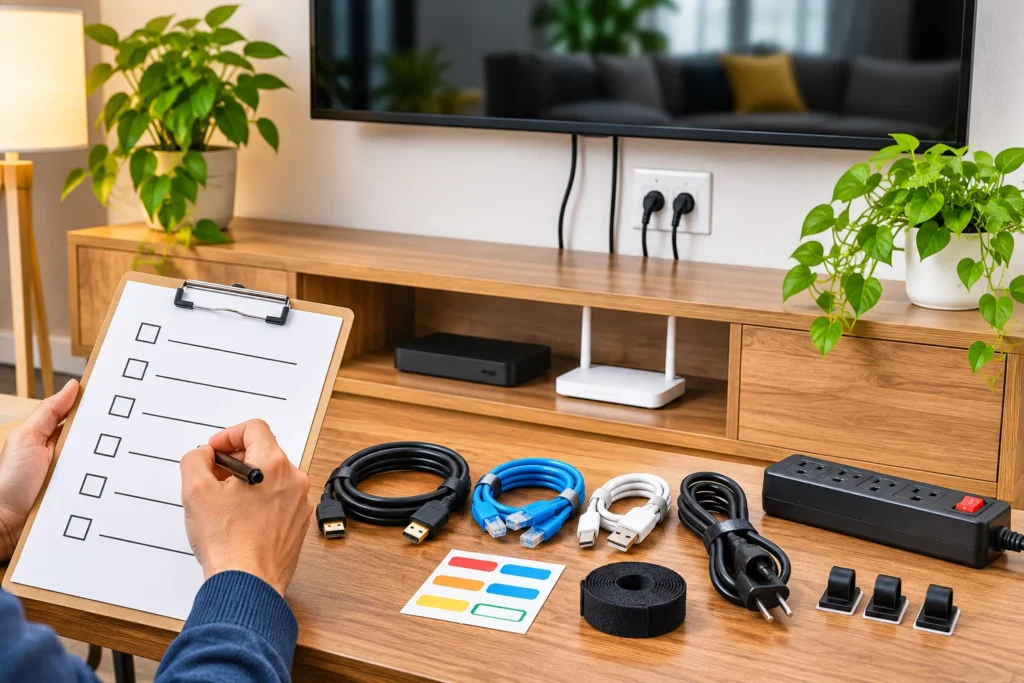
Start with a quick cable audit. Identify what each wire powers or connects, which cords are used daily, and which can be removed. Unplug equipment before rearranging it, and inspect plugs and insulation for wear or damage.
- Locate outlets first: Furniture and devices should have practical access to appropriately rated outlets rather than relying on permanent extension-cord arrangements.
- Separate cable types: HDMI, Ethernet, speaker, and USB cables may be managed differently from mains power cords. Follow each device’s instructions.
- Allow movement: Recliners, drawers, adjustable desks, and TV brackets need slack so their wires do not become pinched.
- Preserve access: Keep plugs, switches, and connections reachable for cleaning or troubleshooting.
If a planned route crosses a doorway or major walkway, change the arrangement instead of hiding the problem. SuperDwelling’s living room space planning guide can help you rethink furniture positions before installing cable accessories.
15 Cable Management Ideas That Actually Work
1. Bundle Loose Cables With Reusable Ties
Use adjustable hook-and-loop ties for the loose USB, display, and audio cables behind your desk or TV. Unlike single-use plastic zip ties, you can reopen them when replacing a device.
Bundle only wires that follow the same route. Keep loops relaxed, avoid sharp bends, and leave each plug accessible. Do not tightly wind or bind energized extension cords into a compact coil.
2. Label Both Ends of Similar Cords
A small label reading “TV,” “soundbar,” or “router” can prevent a frustrating unplug-and-guess routine. Apply matching labels near both ends, especially when several identical power adapters share one area.
3. Create One Tidy Route Behind the TV Console
Position the devices first, then guide their leads toward one rear corner of the console. Cable clips on appropriate furniture surfaces can hold signal wires out of sight while keeping the connections reachable.
Avoid pulling cords taut across sharp cabinet edges.
4. Hide Visible TV Signal Wires in a Paintable Raceway
Surface-mounted cable raceways can make an exposed HDMI, Ethernet, or speaker-cable run look like part of the wall. Choose a cover sized for the number and diameter of cables, then paint it to match the surface if its manufacturer permits.
Important distinction: A raceway designed for low-voltage cables is not automatically approved for electrical power cords. Check the product’s intended use and applicable electrical rules before enclosing any power cable.
5. Use Baseboard-Style Covers for Low-Voltage Runs
For a speaker or network cable that needs to follow a wall, a slim quarter-round or baseboard-style channel can be less noticeable than a loose wire. Install it above or alongside the baseboard, following the manufacturer’s directions.
6. Add an Under-Desk Cable Tray
A tray beneath a fixed desk creates a dedicated place for computer cables and compatible accessories, reducing clutter near your feet. Select a tray with smooth edges, enough room for the setup, and access for maintenance.
Keep any power strip installed according to its listing and instructions, without blocked ventilation or strained plugs. A tray should organize the installation, not trap heat.
7. Hold Daily Charging Cables With Desk Clips
Adhesive holders can keep phone and tablet charging leads from falling behind the desk every time you disconnect a device. Place the clips close to the charging surface rather than pulling the wires around a sharp table corner.
Test adhesive on an inconspicuous surface first, particularly on delicate wood finishes.
8. Give Chargers a Dedicated Station
Keep frequently used small-device chargers together on a shelf, sideboard, or desk corner near a suitable outlet. Use a simple organizer to separate loose USB leads, and unplug spare chargers when they are not needed.
A charging station works best when it remains easy to reach. Avoid crowding adapters under fabrics, papers, or other materials that could obstruct heat dissipation.
9. Choose Furniture With Cable Access
An open-back media console, desk with a cable pass-through, or cabinet with a removable rear panel can conceal wires without permanently sealing them away. When shopping for furniture, check the opening size and the space needed for plugs.
Good furniture choices are part of effective living room styling, because useful storage should support the way the room works.
10. Remove Unnecessary Length From Data-Cable Routes
When an excessively long HDMI, Ethernet, or USB cable creates loops behind a screen, consider an appropriately specified shorter replacement. Measure the full path first, including the movement needed to pull equipment forward.
For power leads, use only suitable manufacturer-approved replacements. Do not cut, splice, shorten, or tightly coil a power cord to make it look neater.
11. Guide Floor-Lamp Cords Away From Foot Traffic
Place floor lamps close to a practical outlet and route their cords where feet, chair legs, and doors will not catch them. Do not run a lamp cord beneath a rug or squeeze it under heavy furniture.
The starting point is the lamp position, not the cover. For better placement choices, see the floor lamp placement guide.
12. Leave a Movement Loop for Adjustable Furniture
Standing desks, monitor arms, and reclining furniture change position during use. Secure compatible low-voltage cables to stable points while leaving enough slack for their full motion.
Move the furniture slowly through its complete range before finishing. If any lead stretches, catches, or rubs against a mechanism, change its path immediately.
13. Organize Speaker and Gaming Cables by Function
Keep controller chargers, console connections, and speaker wires in separate labeled groups. This makes it easier to replace a game console or adjust audio equipment without disturbing everything nearby.
Try a distinct removable wrap for each device group rather than one giant bundle. Keep connectors reachable and follow the equipment’s clearance instructions.
14. Store Spare Cords in Labeled Pouches
A drawer full of unused adapters often recreates the clutter you just removed. Sort spare cables by connection type, coil them loosely for storage, and put each category in a labeled pouch or compartment.
Recycle damaged or obsolete leads appropriately. Keep only spares whose purpose you can identify; an unknown charger should not be connected to an unfamiliar device just because the plug seems to fit.
15. Make Cable Checks Part of Routine Cleaning
Every few months, move accessible furniture carefully, remove dust, check for damaged insulation, and confirm that nothing has become pinched. Reopen reusable ties if the equipment arrangement has changed.
Which Cable Management Method Fits Your Space?
Choose according to the problem you can actually see, rather than buying every organizing accessory at once.
| Problem | Practical option | Check first |
|---|---|---|
| Loose wires behind a TV | Reusable ties and labels | Plug access and ventilation |
| Visible HDMI or speaker cable | Low-voltage-rated surface cover | Cable compatibility |
| Desk cable clutter | Under-desk tray and clips | Secure mounting and heat clearance |
| Frequently used chargers | Accessible charging station | Adapter ratings and airflow |
| Cord across a walkway | Move device or add a proper outlet | Trip and electrical hazards |
The cheapest solution may be moving one device nearer its existing outlet. A new accessory is worthwhile only when it solves a problem without introducing another.
How Do You Organize Messy Cords Step by Step?
- Photograph the setup: Record the existing connections so you can restore them accurately.
- Switch off and unplug: Disconnect devices safely before separating tangled leads.
- Discard damaged cables: Replace worn electrical cords rather than covering exposed or frayed insulation.
- Arrange devices around outlets: Reduce crossing paths and provide access for cleaning.
- Route, label, and secure: Use compatible clips, ties, or low-voltage channels where appropriate.
- Reconnect and test: Check each device, verify that plugs remain accessible, and look for pinching or overheating.
The broader living room lighting guide is helpful when rearranging lamps changes where you need electrical access.
Which Cable-Hiding Mistakes Should You Avoid?
Never let a neat appearance override electrical safety. The Electrical Safety Foundation International’s extension cord guidance advises against using extension cords as permanent wiring, hiding them beneath rugs, chaining them together, or using damaged cords.
Safety warning
Do not push an ordinary TV power cord or an extension cord through a wall cavity. Do not run energized cords under rugs, staple them to furniture or walls, conceal damaged insulation, or overload a power strip. If you need permanent power behind a wall-mounted TV, ask a qualified electrician about a compliant outlet or listed installation system.
The National Fire Protection Association’s power-strip guidance also explains why power strips should connect directly to fixed receptacles rather than being daisy-chained. Local rules can vary, so check the requirements where you live.
Two Useful Cable-Organizing Products
Most setups need only one or two basic accessories. The following are verified product lines, not hands-on tested picks or independently rated winners.
Affiliate disclosure: Qualifying purchases through the shopping links below may earn a commission at no additional cost to you.
REUSABLE BUNDLING
VELCRO Brand ONE-WRAP Ties
Adjustable, reusable hook-and-loop fasteners suited to grouping accessible cables behind TVs, desks, and charging stations. Choose a size that secures the group gently without squeezing or sharply bending wires.
VISIBLE TV SIGNAL CABLES
D-Line TV Trunking
A paintable, low-profile surface cover with a hinged lid and adhesive backing. Check cable size and permitted use before installation; do not assume it is suitable for concealing mains power wiring.
Cable Management FAQ
What is the easiest way to manage cables without drilling?
Start with reusable ties, labels, and removable desk clips. For visible low-voltage cables, a suitable adhesive surface cover may help, but test the finish and check the installation instructions first.
Can you hide TV wires without opening the wall?
Yes. Arrange connections behind the media console and use a compatible surface channel for visible signal cables. An ordinary TV power cord should not be fished through a wall cavity.
Should you use zip ties or hook-and-loop ties?
Reusable hook-and-loop ties are easier to adjust when devices change. Whichever fastener you choose, do not compress cables tightly or use it to compensate for a damaged cord.
Is it safe to put a power strip inside a cable box?
Only if the strip and enclosure are compatible and their instructions allow it. Do not block ventilation, enclose overheating adapters, exceed ratings, or make the plugs inaccessible.
Can you run electrical cords underneath a rug?
No. Rugs can hide wear and trap heat around cords. Move the device closer to an outlet or arrange a safer permanent power location instead.
How do you keep cables organized after cleaning?
Label each device, store spare leads separately, leave connections reachable, and check the setup whenever you move furniture or replace electronics.
Final Takeaway
Effective cable management means fewer unnecessary cords, shorter and more deliberate routes, and connections you can still inspect. Begin with the messiest one area, use only the accessories that solve it, and prioritize safe electrical access over making every wire disappear.