

Quick Answer
To hide cables, start by unplugging devices, removing unused wires, and planning a short, safe route to each outlet. Use paintable cord covers for visible wall runs, cable clips and sleeves for compatible cords, and furniture to conceal connections. Never run ordinary power cords through walls or under rugs. For a completely hidden TV installation, use an approved in-wall power solution.
Visible cables can make an otherwise tidy living room, desk, or entertainment area feel cluttered. A wall-mounted television may have several wires hanging below it, while lamps, routers, chargers, and computers can create tangles behind furniture.
The good news is that you can hide many of these cables without remodeling your home. The right solution depends on the type of cable, where it needs to go, and whether you can attach anything to the walls.
This guide explains 12 practical ways to hide cables, how to choose a suitable method, and the electrical safety mistakes to avoid.
What Should You Check Before Hiding Cables?
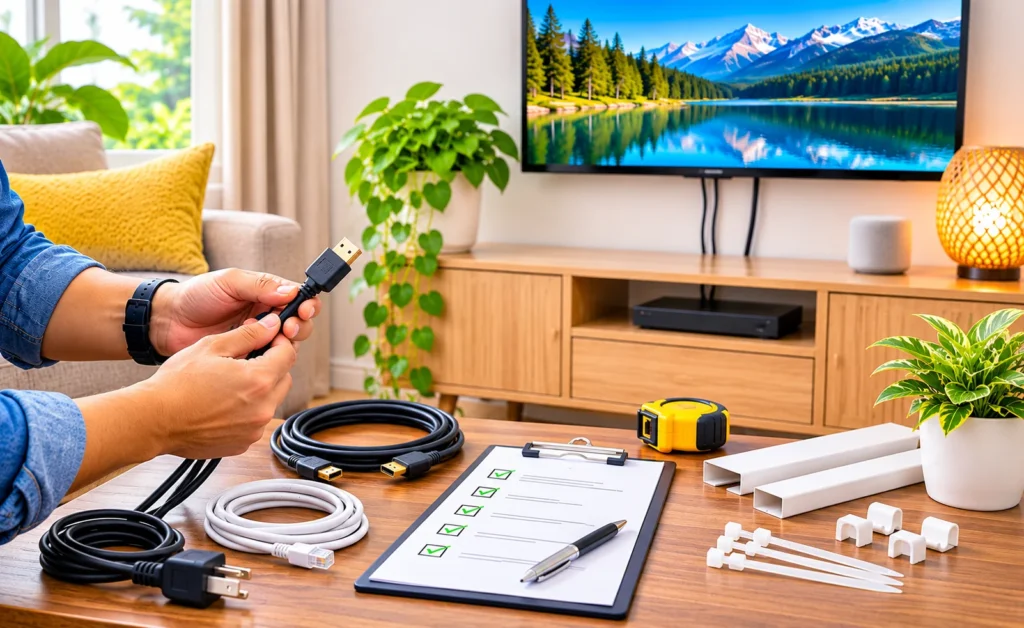
Before concealing any cable, check what it connects to, where it needs to travel, and whether the proposed route could damage it or trap heat.
A few minutes of planning can prevent unnecessary purchases and make your finished installation easier to maintain.
1. Identify the Type of Cable
Not every cable can be concealed in the same way. Common household setups include:
- Power cords: Supply electricity to televisions, lamps, computers, and other appliances.
- HDMI cables: Carry audio and video between entertainment devices.
- Ethernet cables: Connect computers and network equipment.
- Coaxial cables: Commonly connect television or internet equipment.
- USB cables: Connect or charge smaller electronic devices.
- Speaker cables: Carry audio signals between compatible equipment and speakers.
Low-voltage data and signal cables usually offer more routing options than household power cords. However, even low-voltage cables need suitable installation methods when passing through walls.
2. Inspect the Cables and Outlets
Look for frayed insulation, exposed conductors, damaged plugs, loose connections, and unusual heat.
Replace damaged cords rather than hiding them. If an outlet is damaged, loose, or discolored, have it evaluated before continuing.
3. Plan the Cable Route
Locate the outlets, connected devices, furniture edges, and any areas where people regularly walk.
Choose a route that:
- Keeps cords away from heat and moisture.
- Avoids doorways and walking paths.
- Prevents furniture from crushing or pinching cables.
- Leaves enough slack for device movement.
- Preserves access to plugs and connections.
- Does not block ventilation openings.
If possible, unplug the equipment before arranging the cables.
How to Hide Cables: 12 Practical Methods
These methods range from temporary, renter-friendly improvements to more permanent solutions. Start with the least invasive option that solves your specific problem.
1. Install Paintable Cable Raceways
Best for: Exposed cables running down a wall, particularly below a wall-mounted television.
A cable raceway is a narrow channel that mounts on the surface of a wall and conceals compatible cords inside a removable cover.
Paintable models can blend with your wall color, making the cable route less noticeable.
To install a suitable raceway:
- Measure the distance between the device and its connection point.
- Choose a raceway approved for the specific cables being concealed.
- Mark a straight route using a level.
- Cut the raceway to length according to its instructions.
- Attach the channel using the recommended adhesive or fasteners.
- Position the cables without sharp bends or compression.
- Close the cover and paint it if the manufacturer permits.
Some raceways are suitable only for low-voltage cables, while others are designed for particular cord-management applications. Follow the product’s specifications rather than assuming that every raceway can contain electrical power cords.
For an example of a surface-mounted, paintable solution, see Legrand’s Wiremold cord cover documentation.
2. Conceal Cables Behind a TV Stand
Best for: Televisions placed on entertainment consoles or media cabinets.
Sometimes the easiest way to hide cables is to use furniture that already blocks them from view.
Move the TV stand close enough to the connection points to minimize exposed wiring, while maintaining the clearances required by the television and other equipment.
Route compatible signal cables along the rear panels or designated cable openings. Keep power connections accessible, avoid trapping cords beneath furniture, and leave ventilation space around electronics.
Choosing furniture with cable-management openings makes this easier. Our TV stand guide explains how to assess storage, ventilation, and furniture dimensions.
3. Route Suitable Cables Along Baseboards
Best for: Long cable routes across a room.
Running a visible cable diagonally across a wall attracts attention. Following the baseboard usually creates a cleaner visual line.
Use a compatible surface-mounted baseboard cable channel rather than leaving loose wires across the floor.
Choose a channel with enough room for the intended cables, plan the corners, and attach it according to the manufacturer’s instructions.
This works particularly well for Ethernet, television signal, and speaker cables. Do not use ordinary decorative molding as an improvised enclosure for household electrical wiring.
4. Attach Cable Clips Behind Furniture
Best for: Charging cables, small electronics, and suitable cords near desks or consoles.
Adhesive cable clips can hold compatible cables along the back of furniture, keeping them out of direct view.
Clean and dry the mounting surface, then attach clips along a planned route. Follow the adhesive manufacturer’s instructions for curing time and supported weight.
Place clips where cables can move naturally without being sharply bent. Do not use staples, nails, or fasteners that could pierce cable insulation.
This solution is particularly useful when you want cables to remain accessible for regular device changes.
5. Group Compatible Cables With a Sleeve
Best for: Multiple low-voltage cables running in the same direction.
A cable sleeve turns several visible cables into one organized bundle. Zippered, split, and wraparound sleeves are common options.
They work well for grouping compatible computer peripherals, HDMI connections, and other small signal cables.
First, separate cables that must follow different routes. Then place the remaining compatible cables inside a sleeve without forcing them into tight bends.
Do not tightly bundle power cords that may generate significant heat. Check the sleeve’s intended use and the equipment manufacturer’s requirements before combining cables.
6. Use Reusable Hook-and-Loop Cable Ties
Best for: Managing extra lengths of compatible data or signal cables.
Hook-and-loop ties are useful when cables need occasional rearranging.
Gather only the excess length that can safely be bundled, then secure it loosely enough to avoid deforming the insulation.
Unlike permanent plastic ties, reusable straps are easy to release when you change devices.
Do not leave energized electrical cords tightly coiled or bundled. Such arrangements can restrict heat dissipation.
7. Replace Unnecessarily Long Signal Cables
Best for: Desks or entertainment setups with large loops of excess cable.
Sometimes the clutter comes from cables that are much longer than necessary.
Measure the actual route between devices, including bends and a little slack, and consider a shorter compatible replacement.
This is often useful for HDMI, Ethernet, USB, and other detachable signal cables.
Check the connector type and required performance before buying a replacement. Avoid modifying power cords or substituting unapproved power leads simply to reduce their length.
8. Add an Under-Desk Cable Tray
Best for: Home offices, study desks, and gaming stations.
An under-desk cable tray can keep compatible data cables and accessories off the floor and out of sight.
Choose a tray designed for your desk material and the equipment you plan to support.
Install it without damaging the desktop or nearby wiring. Use the tray to organize appropriate cables and accessories while respecting ventilation and weight limits.
Any power strip or electrical accessory must be installed only as its manufacturer permits. Do not assume that every tray is suitable for holding power-distribution equipment.
9. Position Power Strips in Approved Locations
Best for: Reducing visible clutter around multiple connected devices.
Moving a power strip to a better location can shorten the visible runs between electronics and their connections.
If the strip is specifically designed for mounting, follow its instructions and install it where it remains accessible, ventilated, and protected from damage.
Plug it directly into an appropriate wall outlet. Never connect multiple power strips in a chain or use a temporary power strip as a substitute for permanent wiring.
A suitable cable-management box may improve appearance, but not all enclosures are rated for power strips. Never place energized electrical accessories inside an unapproved closed container.
10. Use Furniture With Built-In Cable Openings
Best for: Entertainment centers, shelving units, and workstations.
Furniture designed with cable ports, rear cutouts, or routing channels can conceal connections without requiring visible wall accessories.
Feed compatible cables through the designated openings, taking care not to create tight bends or pinch points.
If purchasing new furniture, inspect the rear design before deciding. Open-backed cabinets and removable panels can offer better access than completely enclosed compartments.
For a broader approach to furniture placement and daily usability, see our guide to creating a functional living room.
11. Use Decorative Concealment Without Blocking Cords
Best for: Improving the appearance of cables near shelves and furniture.
Decorative screens, carefully arranged storage furniture, and media consoles can block the line of sight to cable runs.
However, visual concealment must not place weight on cords, obstruct vents, or make damaged connections difficult to detect.
For example, a ventilated shelving unit positioned near a router may hide the cable connections from the main seating area while retaining airflow and access.
Do not place fabric, baskets, or decorative objects directly over plugs, adapters, or energized cables.
Good cable concealment is often part of a wider decorating plan. Our living room styling guide
12. Use an Approved In-Wall Solution for Permanent Concealment
Best for: Homeowners who want a wall-mounted TV installation without visible cables.
In-wall concealment may offer the cleanest appearance, but it requires greater care.
Ordinary television power cords, extension cords, and power strips must not simply be fed through drywall.
Instead, use an appropriate listed in-wall power relocation system where allowed, or have a qualified electrician install a properly located outlet.
Low-voltage cables may also require suitable in-wall ratings and installation methods.
Before modifying a wall, check for hidden electrical wiring, plumbing, structural components, and other obstacles. Follow applicable local electrical regulations.
If the installation involves adding or altering fixed electrical wiring, use a properly qualified electrician.
Electrical Safety Warning
Never hide ordinary power cords inside walls, beneath rugs, or under heavy furniture. Do not staple, crush, tightly coil, or overload electrical cords. If your setup depends on extension cords permanently, consider having additional outlets installed.
Which Cable-Hiding Method Should You Choose?
The most appropriate method depends on where the cables are located and whether you need temporary or permanent concealment.
| Situation | Suggested Method | Main Consideration |
|---|---|---|
| Wall-mounted TV | Paintable raceway | Check cable compatibility. |
| TV on a console | Furniture routing and clips | Avoid pinched cords and blocked vents. |
| Home office | Cable tray and loose ties | Use accessories as intended. |
| Long network cable | Baseboard channel | Avoid sharp bends and trip hazards. |
| Rental home | Removable clips or suitable raceway | Adhesives may still damage paint. |
| Permanent hidden TV setup | Approved in-wall system or new outlet | Follow local electrical rules. |
For most households, a suitable surface-mounted raceway or furniture-based routing method is a practical starting point because it avoids major wall modifications.
How Can You Hide TV Cables Without Cutting the Wall?
You can hide most visible TV cables without cutting the wall by using a compatible surface cord cover and organizing the remaining connections behind the media console.
Follow this process:
- Disconnect the devices: Unplug the TV and connected equipment before handling their cables.
- Identify every connection: Separate power cords from HDMI, Ethernet, and other signal cables.
- Find the shortest safe route: Usually this runs behind the television and toward the media console or outlet.
- Choose a compatible cover: Confirm that the raceway is suitable for the cables it will contain.
- Mount the channel: Follow its installation instructions and maintain safe cable bends.
- Organize remaining connections: Keep compatible loose signal cables behind the console without trapping electrical cords.
- Reconnect and inspect: Check that plugs remain accessible and that the TV mount can move without pulling on cables.
If your TV mount extends or swivels, test its full range of motion before completing the arrangement.
How Do You Hide Cables in a Rental Apartment?
Renters should prioritize solutions that do not require opening walls or altering electrical wiring.
Useful options include removable cable clips, freestanding furniture with cable openings, compatible cable sleeves, and surface raceways installed with landlord approval where necessary.
Adhesive accessories are not always damage-free. Some may remove paint or leave residue, particularly on weak or recently painted surfaces.
Test the mounting method in an inconspicuous area and follow its removal instructions.
Renter-Friendly Tip
Try rearranging your media console and using compatible clips behind furniture before attaching a raceway to the wall. You may be able to hide most of the visible wiring without modifying the property.
What Cable-Hiding Mistakes Should You Avoid?
The biggest mistakes involve choosing appearance over electrical safety, cable protection, or access.
- Running power cords through walls: Ordinary flexible power leads are not substitutes for approved in-wall electrical installations.
- Concealing cords beneath rugs: This can trap heat, conceal damage, and create hazards.
- Pinching cords behind heavy furniture: Pressure may damage insulation or internal conductors.
- Using nails or staples: These can pierce or crush cables.
- Overfilling cable channels: Follow the manufacturer’s capacity and compatibility limits.
- Blocking ventilation: Keep electronic equipment and power accessories adequately ventilated.
- Chaining extension cords or power strips: Use proper outlets and approved equipment configurations.
- Making plugs inaccessible: Devices should remain practical to disconnect for servicing or emergencies.
The Electrical Safety Foundation International’s extension cord guidance explains why power cords should not be overloaded, covered improperly, or used as permanent household wiring.
How Can You Keep Cables Organized After Hiding Them?
A concealed cable setup should remain easy to inspect, clean, and update.
Follow these habits:
- Label removable signal cables: Identify HDMI, Ethernet, and other connections near their ends.
- Remove unused cables: Disconnect and store leads no longer needed.
- Inspect occasionally: Look for damaged insulation, loose plugs, and signs of overheating.
- Allow movement: Recheck slack after moving desks, consoles, or television mounts.
- Maintain ventilation: Keep vents and manufacturer-required clearances unobstructed.
- Reconsider outlet locations: If temporary extension cords are needed continuously, investigate a permanent outlet solution.
An organized installation is successful when cables are less visible without becoming harder to access or maintain.
Related Product
Paintable Cable Raceway Kit
A suitable paintable raceway can help conceal exposed cables along a wall without cutting into drywall. Check its cable compatibility and installation instructions before choosing one.
As an Amazon Associate, we earn from qualifying purchases.
Frequently Asked Questions
Can you hide cables without drilling holes?
Yes. You can use suitable adhesive cable clips, surface raceways, furniture openings, and cable sleeves without drilling. Check the product’s mounting instructions because some adhesives may damage paint during removal.
Can you paint over cable covers?
Yes, if the manufacturer identifies the cover as paintable. Paint only the exterior according to its instructions. Do not paint electrical plugs, outlets, exposed cables, or equipment ventilation openings.
Can HDMI cables run inside walls?
HDMI cables may be installed inside walls when the cable and installation method are suitable for in-wall use under applicable local requirements. Check the cable’s rating and keep low-voltage wiring appropriately separated from electrical power wiring.
Can you hide electrical cords under a carpet?
No. Ordinary electrical power cords and extension cords should not be hidden beneath carpets or rugs. Covering them can conceal damage and restrict heat dissipation. Choose a safer route or have an outlet installed where necessary.
How do you hide cables around a standing desk?
Use a cable-management system designed for a height-adjustable desk, leaving enough slack for the full range of movement. Test the desk at its lowest and highest positions to ensure cables do not stretch, pinch, or snag.
How can you stop pets from reaching exposed cables?
Move cables out of reach using furniture placement and suitable protective routing accessories. Do not assume a sleeve is chew-proof. Replace damaged cables immediately, and seek professional help if a pet has chewed an energized cord.
Conclusion
Learning how to hide cables does not require expensive renovations or complicated installations. Start by removing unused wires, identifying your cable types, and choosing the safest route between devices and connection points.
For many living rooms, paintable surface raceways, furniture-based concealment, and appropriate cable clips can make a noticeable improvement. Desks and entertainment centers may benefit from compatible trays, sleeves, and shorter signal cables.
However, appearance should never come before electrical safety. Keep power cords protected, properly ventilated, and accessible. For permanent concealed electrical connections, choose an approved installation method and qualified professional assistance when required.
The best result is a cleaner space where every cable still performs its job safely.