

Quick Answer
The best gaming room living room ideas combine comfortable sofa seating, a well-positioned TV or gaming monitor, organized equipment storage, attractive lighting, and coordinated decor. Create a dedicated gaming zone without sacrificing the room’s everyday comfort, walking space, or appearance.
A living room can be an excellent place for gaming without looking like a traditional gaming bedroom or a crowded entertainment center. The trick is to combine gaming equipment with furniture, colors, lighting, and decorations that already suit your home’s interior.
Whether you enjoy console gaming from the sofa, PC gaming at a compact desk, or multiplayer sessions with friends, a thoughtful layout can make the space work for different activities. You do not necessarily need another room or an expensive renovation.
15 Gaming Room Living Room Ideas to Transform Your Space
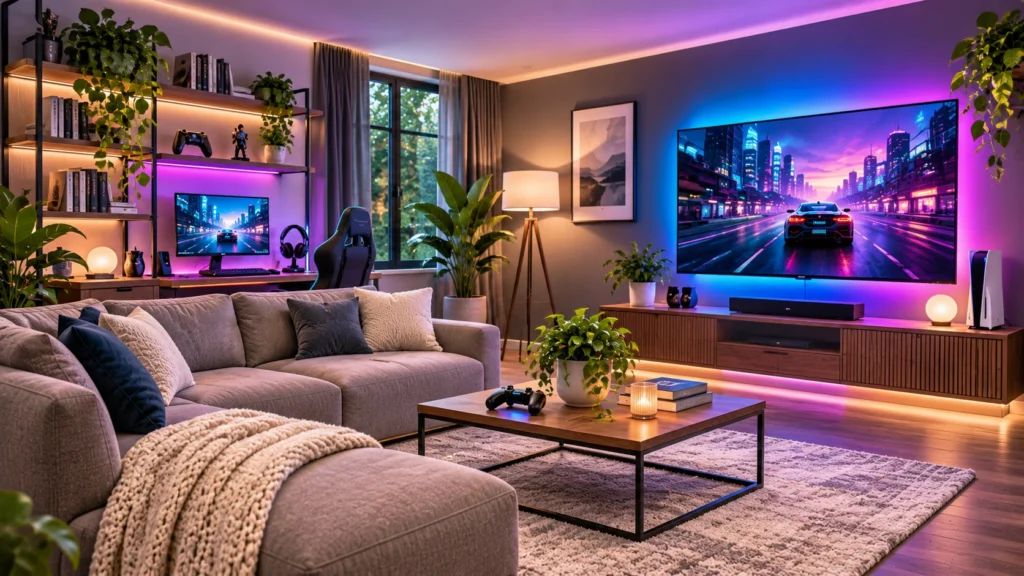
These ideas cover different room sizes, decorating styles, and gaming habits. You can use one complete design or combine several elements to create a setup that fits your home.
1. Create a Dedicated Gaming Entertainment Wall
Turn one living room wall into the main entertainment area by arranging your television, console, speakers, and storage together. This creates a clear focal point while keeping gaming equipment in one organized location.
Mounting a compatible television on the wall can free up useful surface space. Place a media console underneath for controllers, charging accessories, game collections, and other equipment.
- Keep the television centered around the main seating arrangement.
- Choose a console with enough storage for gaming accessories.
- Use matching furniture finishes to connect the entertainment area with the rest of the room.
- Leave suitable airflow around electronic equipment.
A wooden media cabinet, neutral wall color, and subtle LED lighting can create a modern entertainment wall without making gaming the only visual feature.
2. Design a Cozy Sofa Gaming Setup
If you mainly play console games, make your existing sofa the center of the gaming experience. This is one of the easiest gaming room living room ideas because it avoids the need for a separate gaming chair or large desk.
Arrange the sofa at a comfortable viewing distance from the television. Add supportive cushions, a small side table, and convenient controller storage so everything remains within reach.
For multiplayer gaming, consider whether additional seats can fit without blocking the main walking routes. A lightweight accent chair or movable ottoman can provide extra seating when friends visit.
3. Add a Compact Gaming Desk in an Empty Corner
A dedicated desk is useful when you prefer keyboard-and-mouse gaming or need a separate workstation. Instead of allowing the desk to dominate the living room, place it against an unused wall or in an underutilized corner.
Choose a desk that accommodates your monitor, keyboard, mouse, and essential accessories. Check the chair’s full movement before deciding where the desk belongs.
To make the workstation feel connected to the living room, repeat the room’s existing wood finish, accent color, or metal details in the desk and shelving.
A compact desk with drawers can also reduce visible clutter. If the room serves several purposes, a movable chair and closed storage make it easier to restore the ordinary living-room arrangement.
4. Use Subtle RGB and LED Accent Lighting
LED lighting can introduce a gaming atmosphere without requiring bright colors throughout the room. Install adjustable lighting behind the television, along shelving, or underneath a desk.
Choose lighting that can change brightness and color. Soft blue, purple, and warm white can create different moods, while a single consistent color often looks more coordinated than several competing effects.
- Behind the television: Creates a soft visual accent around the screen.
- Under shelves: Highlights gaming collections and decorative objects.
- Behind a desk: Defines the workstation without taking up floor space.
- Inside display cabinets: Adds depth to collectibles and accessories.
Keep ordinary room lighting available as well. A living room should remain comfortable for reading, conversation, and everyday activities when the gaming lights are switched off.
5. Choose a Modern Minimalist Gaming Design
A minimalist gaming living room uses clean furniture shapes, limited decorations, and concealed storage. It is particularly useful if you want your gaming equipment to blend into a modern interior.
Start with a restrained color palette such as white, charcoal, beige, and natural wood. Keep the entertainment console uncluttered and display only a few meaningful accessories.
Instead of filling the walls with gaming posters, select one framed gaming print or a small collection of artwork. The result can feel personal without overwhelming the room.
6. Combine Gaming Decor With a Dark Accent Wall
A dark accent wall can make a gaming entertainment area feel more dramatic. Navy, charcoal, deep green, and dark gray are possible choices, depending on the room’s natural light and existing furniture.
Paint only the entertainment wall if the living room is small or receives limited daylight. Keep the other walls lighter to preserve visual balance.
Wood furniture, warm lamps, and restrained metallic accents can soften the darker background. Avoid choosing a wall color solely because it appears attractive in an online gaming setup photograph.
7. Build a Gaming Display With Floating Shelves
Floating shelves provide a practical way to display gaming collectibles, framed artwork, headphones, and decorative accessories. They also use vertical wall space rather than occupying additional floor area.
Arrange shelves around the entertainment unit or above a compact gaming desk. Use a mixture of decorative objects and useful storage containers instead of displaying every accessory at once.
Check the shelf’s weight capacity and mounting requirements before placing heavy equipment on it. Keep frequently used controllers and devices somewhere easy to reach.
8. Create a Shared Family Gaming and Movie Area
A gaming living room does not need to serve only one person. You can design the space for family gaming, movies, sports, and everyday relaxation.
Use a comfortable sofa as the main seating area and arrange additional chairs where necessary. A television and media console can support several entertainment activities without requiring separate furniture arrangements.
Keep controllers in a shared storage drawer and leave enough room for people who are not gaming. This makes the space feel like a family entertainment area rather than a personal gaming station.
9. Try a Black and Wood Gaming Room Combination
Black and natural wood create an appealing combination for contemporary gaming interiors. Black equipment provides a consistent visual foundation, while wooden furniture introduces warmth.
Consider a dark television frame, walnut-colored media console, and matching shelving. Add a neutral rug and a few warm decorative accessories to prevent the room from feeling too industrial.
This combination works particularly well when you want gaming equipment to look like part of the furniture instead of a collection of unrelated electronic devices.
10. Add a Comfortable Gaming Lounge Area
If your room has enough floor space, create a small lounge zone with a sofa, accent chair, and ottoman. This arrangement works well for casual gaming, watching streams, and spending time with friends.
Use an area rug to visually connect the seating pieces. Position a side table near the sofa for drinks and controllers.
Keep the gaming display visible from the primary seats. Avoid placing furniture where players need to twist their bodies or lean forward to see the screen comfortably.
11. Use Multifunctional Furniture in a Small Living Room
Multifunctional furniture helps combine gaming and ordinary living without filling every available corner. A storage ottoman, compact media cabinet, nesting tables, or a sofa with practical storage can make a meaningful difference.
For example, a storage ottoman can serve as extra seating during multiplayer sessions while providing space for controllers and accessories when gaming ends.
Consider furniture that can move or serve more than one purpose before purchasing dedicated gaming furniture. IKEA’s small living room space-saving guide offers additional ideas for flexible furniture and storage.
12. Create an Immersive Gaming Corner With Wall Art
Gaming artwork can give your entertainment corner a recognizable personality. Choose framed posters, canvas prints, or carefully arranged gaming illustrations that complement your existing color scheme.
For a more refined appearance, use matching frames and consistent spacing. A small group of coordinated prints usually looks more intentional than covering every available wall with different posters.
You can also combine gaming artwork with neutral decorations, books, and plants to create a balanced display.
13. Design a Gaming Setup Around a Large Television
A large television can become the centerpiece of a console gaming living room. However, screen size should be considered alongside viewing distance, available wall space, and the position of your sofa.
Measure the distance between the main seating position and the screen before selecting a television. A screen that looks impressive in a store may feel uncomfortable when placed too close to your sofa.
Our guide to choosing the right TV size for a living room explains how viewing distance can help guide that decision.
14. Add a Gaming Setup With Hidden Cable Management
Visible cables can make even a beautifully decorated living room look disorganized. Plan cable routes before positioning your entertainment furniture and electronic equipment.
Use suitable cable clips, ties, and under-desk organizers to keep wires grouped and accessible. A media console with rear cable openings can also make it easier to manage connections.
Keep cords away from doorways and walking paths. Do not run extension cords under rugs, through walls, or beneath heavy furniture. The Electrical Safety Foundation International provides extension cord safety guidance covering damage, overloading, and placement.
15. Use Warm Lighting for a Relaxed Gaming Living Room
Not every gaming room needs colorful RGB lighting. Warm lamps and soft indirect lighting can create a more relaxed atmosphere that works for both gaming and everyday living.
Place a floor lamp beside the sofa and use a table lamp or shelf light to brighten darker areas. Adjustable lighting makes it easier to change the atmosphere between gaming, watching movies, and relaxing.
For more inspiration, explore our living room lighting guide, which explains how to combine ambient, task, and accent lighting.
How Do You Plan a Gaming Living Room Layout?
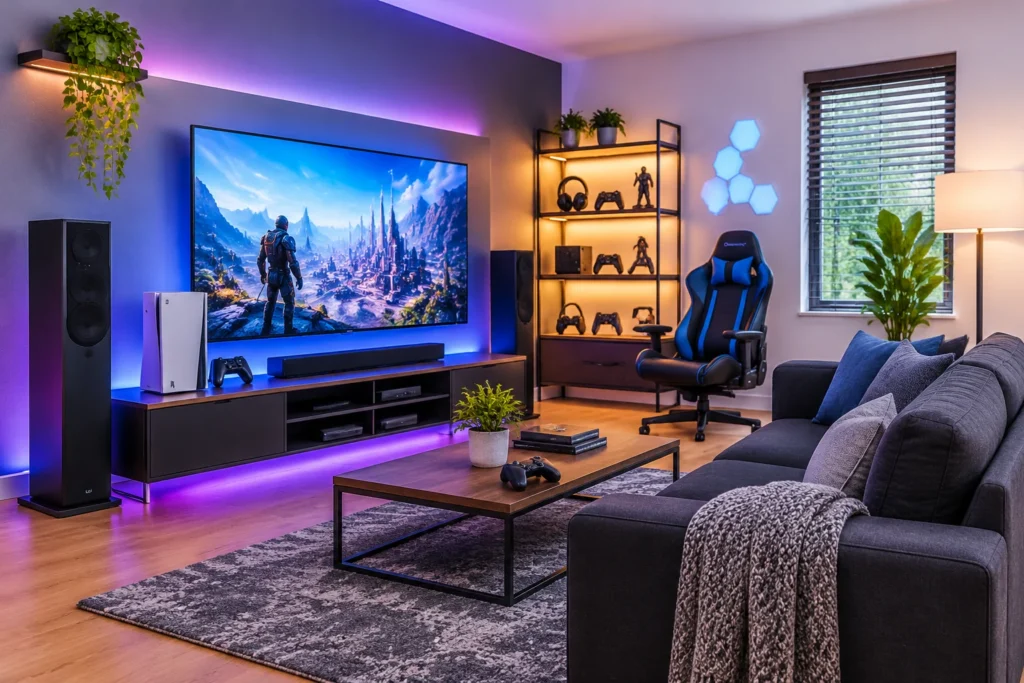
The best layout depends on how you play and how other people use the room. Start with the existing furniture rather than purchasing a complete gaming setup immediately.
- Measure the room: Record the dimensions, doors, windows, outlets, and main walking routes.
- Identify the gaming style: Decide whether you need a console setup, PC desk, or combination of both.
- Choose the display position: Find a location that provides a comfortable view from the main gaming seat.
- Arrange the furniture: Position the sofa, desk, and additional chairs without blocking movement.
- Plan equipment storage: Give controllers, headsets, cables, and accessories a designated place.
- Test the arrangement: Sit in each gaming position, move the chairs, and walk through the room.
A useful planning technique is to mark furniture footprints on the floor with painter’s tape. This helps reveal clearance problems before you purchase larger items.
What Makes a Gaming Living Room Look Stylish Instead of Cluttered?
A stylish gaming living room balances visible technology with ordinary home decor. The goal is not to hide every gaming accessory but to make the overall arrangement feel deliberate.
- Limit the color palette: Repeat two or three main colors across furniture, walls, and accessories.
- Use closed storage: Store smaller accessories behind cabinet doors when they are not needed.
- Control decorative lighting: Avoid using too many bright colors simultaneously.
- Choose appropriate furniture sizes: Large desks and gaming chairs can overwhelm smaller living rooms.
- Keep surfaces organized: Remove empty packaging, unused accessories, and unnecessary decorations.
- Combine textures: Wood, fabric, metal, and soft rugs can make the room feel more like a home.
Also consider equipment ventilation. Gaming hardware generates heat, and its cooling system needs room to function. Sony’s PlayStation 5 design explanation describes the console’s cooling fan and airflow design. Avoid treating an enclosed decorative cabinet as suitable equipment storage unless it provides the ventilation required by the device manufacturer.
Which Gaming Living Room Ideas Work Best for Small Spaces?
Small living rooms benefit most from compact equipment, multifunctional furniture, and layouts that preserve clear walking paths.
- For a narrow room: Keep the main sofa opposite the entertainment wall and avoid bulky additional seating.
- For an apartment: Use a compact desk or existing television instead of creating a second large entertainment area.
- For a shared room: Choose closed storage and movable furniture that can be repositioned after gaming.
- For a corner setup: Use wall-mounted shelves and a small desk to make better use of vertical space.
- For a multifunctional room: Choose furniture that supports both relaxation and gaming.
Remember that a small room does not need more decorations to feel like a gaming space. A well-arranged display, comfortable seat, and subtle lighting can establish the theme without consuming valuable floor area.
What Common Gaming Living Room Design Mistakes Should You Avoid?
Some gaming setups look impressive in photographs but become inconvenient in everyday use. Avoid these common mistakes when planning your room.
- Buying furniture before measuring: A large gaming chair or desk may block important walking routes.
- Overusing RGB lighting: Too many bright colors can compete with the living room’s existing design.
- Ignoring cable safety: Loose wires can become trip hazards or suffer damage.
- Blocking equipment ventilation: Enclosing electronic devices without suitable airflow can interfere with cooling.
- Choosing uncomfortable seating: Attractive furniture is not useful if it does not support your preferred gaming position.
- Forgetting other household members: A shared living room should remain practical when gaming is not taking place.
Before finishing the room, test the arrangement during an ordinary day. Check whether people can watch television, walk around, reach storage, and use the seating without moving gaming equipment.
Frequently Asked Questions
How can I turn my living room into a gaming room?
Start by choosing a gaming area around your existing television or an available corner. Add comfortable seating, organized equipment storage, suitable lighting, and a practical cable arrangement. Keep enough open space for normal living-room activities.
What colors are best for a gaming living room?
Charcoal, navy, black, warm white, and natural wood are versatile choices. You can add blue, purple, or other accent colors through adjustable LED lighting and smaller decorations.
How do I make a gaming setup look good in a small living room?
Use compact furniture, wall-mounted shelves, closed storage, and a consistent color palette. Avoid oversized gaming furniture and keep the main walking paths clear.
Can a living room have both a gaming desk and a sofa?
Yes. Place a compact desk against a side wall or in an unused corner while keeping the sofa as the primary entertainment seating. Check chair clearance and walking space before finalizing the arrangement.
Is LED lighting necessary for a gaming room?
No. LED lighting is an optional decorative feature. Floor lamps, table lamps, and indirect lighting can create an attractive gaming environment without colorful RGB effects.
How can I hide gaming equipment when it is not being used?
Use media cabinets, storage drawers, baskets, and shelves to organize accessories. Choose movable furniture where practical, but keep electronic equipment ventilated and accessible according to its manufacturer’s instructions.
Conclusion
The best gaming room living room ideas combine entertainment, comfort, and attractive interior design. You can create an impressive gaming area with a dedicated entertainment wall, cozy sofa seating, subtle LED lighting, organized shelves, or a compact gaming desk.
Start with your existing room dimensions and gaming habits before purchasing new furniture. Prioritize comfortable seating, clear walking paths, safe cable placement, and organized storage. With a little planning, your living room can become an enjoyable gaming space while remaining welcoming and practical for everyone.