

⚡ Quick Answer
Choose a TV stand from your TV’s real width, base size, weight, and seated eye level. The stand should fully support the TV feet or pedestal. A wider console usually looks more balanced. Its rated load must also exceed everything placed on top.
Choose your TV stand in this order
- 1. Measure the TV’s real width and base footprint.
- 2. Measure your eye height while sitting normally.
- 3. Check stand depth, load rating, storage, and cable space.
TV stand mistakes to avoid
- Using the TV’s diagonal size as its width.
- Ignoring the spacing between the TV feet.
- Putting a freestanding TV on unstable furniture.
A television can look modest in-store, then dominate your living room. Cables appear, the console feels narrow, and the screen sits too high.
James Fox built this TV stand guide around one simple rule. Measure your setup before choosing furniture.
Width comes first, but height, depth, strength, storage, and safety all matter. Get those points right, and your TV area feels balanced and comfortable.
📌 Key Takeaways
- Measure real width. TV screen sizes use diagonal measurements, not cabinet width.
- Check the base. Every TV foot or pedestal must fit safely.
- Set eye height. Screen position should suit your normal seated viewing position.
- Anchor for safety. Freestanding TVs and furniture need proper tip-over protection.
What Size TV Stand Do You Need?
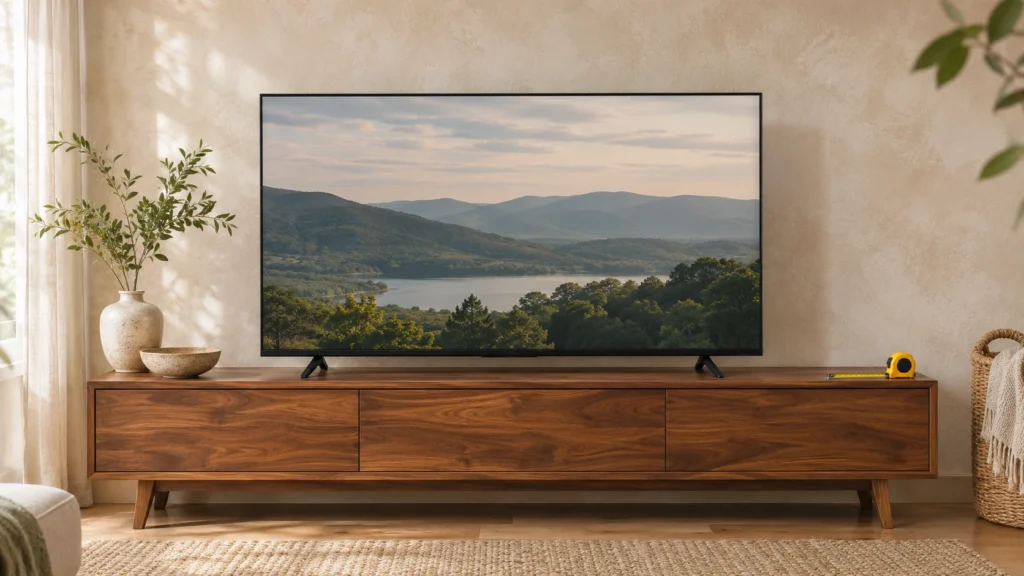
Start with your television’s real outside width, not its advertised screen size. A 65-inch television does not measure 65 inches across.
The advertised number measures the screen from one corner to another. Standard 16:9 screens measure about 87% of their diagonal size across.
Your TV model can still differ because bezels and frames vary. Check the manufacturer’s exact dimensions before ordering furniture.
How Wide Should a TV Stand Be?
A stand at least as wide as the television gives a balanced starting point. Extra width also creates space around the screen.
However, visual width is not the only safety check. Every TV foot must rest completely on the top surface.
This chart gives useful planning sizes for standard 16:9 televisions. Always compare them with your model’s real measurements.
These ranges guide visual balance, not product safety ratings. Your TV’s base, weight, and stand instructions always take priority.
What Measurements Should You Take First?
- TV width: Measure from the far left edge to the right.
- Foot span: Measure the outside distance between both TV feet.
- Base depth: Measure from the base front to its rear edge.
- TV weight: Check the specification sheet without packaging.
- Wall space: Measure the clear width available for the console.
Room measurements matter too. Super Dwelling’s living-room furniture guidance also starts with measuring before buying.
How Tall Should a TV Stand Be?
The right TV stand height depends on your seated eye level. It also depends on the screen’s real height.
Sit where you normally watch television and face straight ahead. Measure from the floor to your eyes.
Next, measure your television from top to bottom. Aim to place its center near your normal eye line.
A simple starting formula works well:
Stand height = seated eye height − half the TV height − base-to-screen gap.
For example, assume your seated eye height measures 42 inches. Your TV body measures 32 inches tall.
Half the TV height equals 16 inches. That leaves about 26 inches before base clearance.
This method works better than buying a standard-height console blindly. Sofas, chairs, and viewers all differ.
Sony also notes that comfortable viewing distance changes with television size and resolution. Its 4K guidance uses 1.5 times the screen’s vertical height.
You might think a taller console always looks grander. A taller stand can push large screens above comfortable viewing height.
Measure from your own seat first. That single number solves most height questions.
How Deep and Strong Should a TV Stand Be?
The stand must fully support the television’s base or feet. No foot should sit partly beyond the edge.
Depth also affects cables, soundbars, game systems, and ventilation. Measure every device that will share the unit.
Leave enough rear space so cables can bend without sharp pressure. Closed cabinets also need airflow around warm electronics.
Strength matters just as much as surface size. Check the manufacturer’s top-panel load rating before placing your TV.
Add the weight of anything else sitting on top. The combined weight must remain below that rated limit.
- Center pedestal TVs: Check pedestal width and depth carefully.
- Wide-leg TVs: Confirm both feet sit fully inside the surface.
- Soundbars: Check that they do not block the TV screen.
- Game consoles: Allow airflow around vents.
- Receivers: Compare shelf dimensions before buying the stand.
Don’t confuse shelf capacity with the top-panel rating. Product listings often give separate limits for each surface.
Once fit and strength work, storage becomes the next choice.
Which Type of TV Stand Fits Your Room?
The best type depends on floor space, storage needs, and television placement. Start with function before choosing a finish.
Open stands keep electronics easy to reach and well ventilated. Cabinet consoles hide cables, controllers, discs, and other clutter.
Corner units help when the television cannot use a full wall. Floating consoles save visible floor space under wall-mounted televisions.
| TV Stand Type | Best Use | Main Check |
|---|---|---|
| Low media console | Large screens | Screen height |
| Cabinet stand | Hidden storage | Ventilation |
| Open shelving | Media equipment | Cable control |
| Corner stand | Tight layouts | Viewing angle |
| Floating console | Wall-mounted TVs | Wall fixing |
| Stand with TV mount | Adjustable setups | VESA and weight limits |
Integrated TV mounts need the correct mounting pattern and load rating. VESA publishes the display mounting interface standard used across many compatible products.
Your TV can also become the room’s main visual anchor. Super Dwelling explains how furniture should support a chosen focal point.
What Storage and Cable Features Should You Look For?
Choose storage around the devices you use every week. Empty cabinets provide little value if your equipment stays outside.
List your soundbar, console, router, receiver, controllers, remotes, and media. Then decide which items need open access.
Open shelves work well for equipment needing airflow or frequent access. Doors work better for items you want hidden.
- Cable holes: Let wires pass behind shelves without trapping plugs.
- Rear openings: Improve airflow and make setup easier.
- Adjustable shelves: Fit taller receivers and game systems.
- Wide center shelf: Helps accommodate soundbars or media players.
- Drawers: Hide remotes, controllers, charging cables, and small accessories.
Check outlet locations before choosing a stand with a solid back. A beautiful unit becomes frustrating when plugs cannot reach.
Visible cable clutter can also weaken an otherwise clean living-room design. A planned furniture layout prevents that problem.
How Do You Place a TV Stand Safely?
Use furniture designed to support a television and its weight. Keep every TV foot completely on the stand surface.
Place the television toward the rear instead of the front edge. Secure the television and furniture where anchoring instructions require it.
This matters most in homes where children live or visit. Climbing, pulling, and reaching can turn furniture into a tip-over hazard.
The U.S. Consumer Product Safety Commission recommends sturdy TV furniture and secure anchoring. It also advises keeping tempting objects away from climbing areas.
CPSC’s 2024 release reported about 17,800 annual tip-over injuries across furniture, TVs, and appliances. Children represented 44% of those injuries and 71% of reported fatalities.
⚠️ Warning
Never use a dresser, small table, or unstable shelf as a substitute TV stand.
Keep cords controlled and away from areas where children can pull them. Store heavier items on lower shelves when possible.
A safe setup should look stable before decoration gets added.
How Do You Match a TV Stand to Your Living Room?
Match the stand’s scale before matching its color. An undersized console looks weak beneath a large television.
Next, repeat finishes already found elsewhere in your room. Wood tones, metal colors, and simple shapes create visual links.
A neutral stand gives you more freedom with rugs and wall colors. A bold stand works best when other pieces stay quiet.
Super Dwelling’s color guide recommends building around fixed or costly room elements first. That same rule works with TV furniture.
Which Finish Works Best?
- Light wood: Suits Scandinavian, coastal, and relaxed modern rooms.
- Dark wood: Adds weight to traditional and formal rooms.
- Black: Blends easily with most television frames.
- White: Keeps compact rooms visually light.
- Mixed wood and metal: Fits industrial and modern rustic rooms.
Hide extra decor when the television already dominates the wall. A few useful objects create a cleaner result.
The stand should support the room, not compete with the screen.
What Most People Get Wrong About TV Stands
Myth 1: A 65-inch TV needs a 65-inch-wide stand. TV sizes measure the screen diagonally, not horizontally.
Your real television width can be much smaller. Always check the model’s listed outside dimensions.
Myth 2: If the TV feet fit, any furniture works. The surface also needs enough strength and stability.
A narrow dresser or table can create a dangerous setup. CPSC recommends furniture designed for television use.
Myth 3: TV stand height is only a style choice. Height changes your screen position and viewing angle.
Your sofa height and seated eye level should guide the final choice. Measure both before shopping.
How Do You Make the Final TV Stand Choice?
Choose the stand that fits your TV base, weight, eye level, and room. Style comes after those four checks.
A good console should look calm, feel stable, and keep daily equipment easy to use. Safety should never depend on appearance alone.
One thing to do right now: measure your TV’s width and foot span. Write both numbers down before shopping.
Frequently Asked Questions
What size TV stand do I need?
Measure your TV’s real outside width, base footprint, and weight first. Choose a stand that fully supports every foot or pedestal edge. A console wider than the TV usually creates better balance. Check the stand’s top load rating before placing any equipment on it.
How wide should a TV stand be?
A TV stand should generally equal or exceed the television’s real outside width. Extra space on both sides creates stronger visual balance. However, the TV foot span matters more for physical support. Always compare your exact TV dimensions with the stand’s usable top surface.
Should a TV stand be wider than the TV?
A wider TV stand often looks more balanced and gives useful surface space. It is not the only sizing rule, though. The unit must also support the television’s complete base and weight. Wall-mounted TVs give you more freedom because the console carries no television load.
How tall should a TV stand be?
Choose height from your seated eye level instead of a fixed furniture standard. Sit normally and measure from the floor to your eyes. Then subtract half your television height and its base clearance. This places the screen center near your natural viewing line.
Can a TV be bigger than the stand?
A television can appear wider than furniture in some wall-mounted setups. A freestanding TV needs stricter checks. Every foot or pedestal edge must remain supported. The stand also needs the correct weight rating. Avoid any setup that leaves TV feet overhanging the surface.
What size TV stand works for a 65-inch TV?
A standard 16:9 65-inch screen measures about 56.7 inches across. A stand around 61–69 inches wide gives useful visual margin. Treat that range as a starting point. Your exact TV body width, foot span, base depth, and weight remain the final sizing checks.
What size TV stand works for a 75-inch TV?
A standard 16:9 75-inch screen measures about 65.4 inches across. A 70–78-inch console gives a useful planning range. Confirm your television’s true frame width before buying. Also measure its foot span, base depth, and weight because those numbers control safe physical support.